
Letters, parcels with up to five items, cash on delivery and price negotiations – your mailbox for everything that reaches you while you are offline.
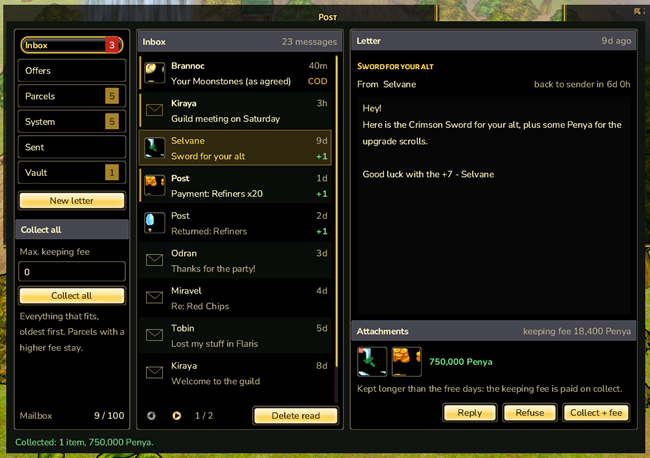
Mail on Orelia is your central mailbox: letters from friends, parcels, rewards, results from the Auction House and even price negotiations with players who are never online at the same time as you. You can read, write and collect from anywhere.
The mail window
Open your mail from the start menu (Communication › Post), the Messenger or a mailbox NPC. The folders on the left show counters:
- Inboxletters from other players
- Offersyour ongoing price negotiations
- Parcelseverything with attachments still to collect
- Systemrewards, events and Auction House results
- Sentwhat you have sent
- Vaultsafekeeping for parcels that have nowhere else to go
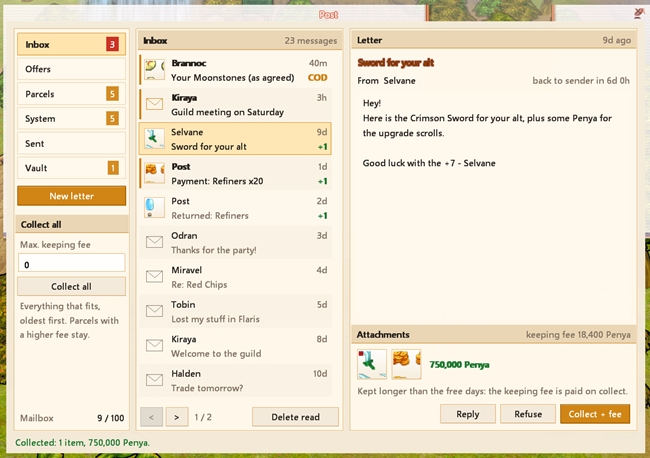
The middle shows your letters page by page, the right side the open letter with its text, attachments and the buttons that apply: Collect, Pay, Refuse, Reply and Delete. Delete read clears every read letter without open attachments. Bottom left shows how full your mailbox is.
A counter on your bar
Drag “Post” from the start menu onto one of your bars. The shortcut then shows how many unread letters and parcels are waiting. New mail also plays a sound and posts a chat line – on whichever channel you are. When you log in, you get a short summary.
Writing a letter
- New letter – opens the form and your inventory.
- Recipient – as you type, the window suggests players you wrote to recently, friends and guild members.
- Title and text –
Tabjumps to the next field. - Items – drag up to 5 items from your inventory onto the slots. For stacks, the mouse wheel sets the amount (
Shiftfor steps of 10); a click removes the item. - Currency – optionally add Penya, Perin or Red Chips.
- Send – click twice to confirm.
Below the fields the window works out the postage (currently 100 Penya plus 50 per item) and how much Penya you need. If something is missing, Send stays grey and the reason is shown next to it. Equipped, bound, expired and quest items cannot be sent, and items must come straight from your inventory.
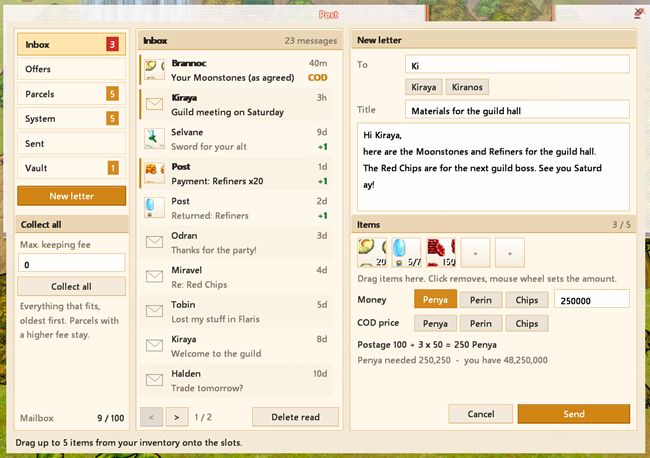
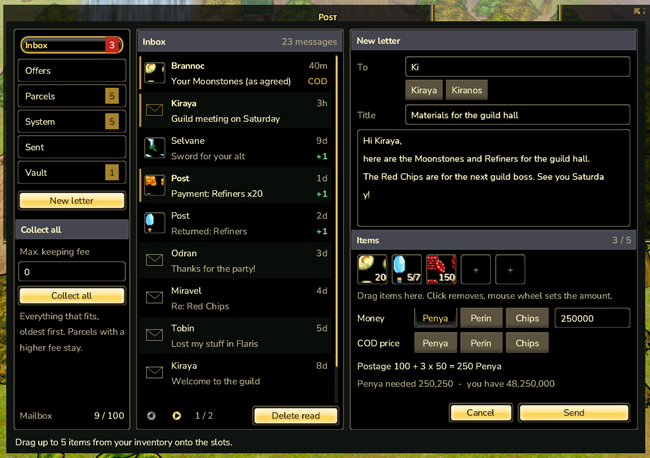
You can also start from the chat: Send mail in the player menu opens the form with the recipient filled in. If someone in a private chat is offline, the chat offers Send as mail.
Collecting
Collect moves a letter’s attachments into your inventory. Collect all takes everything that fits right now, oldest letters first.
Keeping fee
Player letters are stored free of charge for 7 days. After that a fee grows up to the full item value on day 15; it is paid when you collect (the button then reads Collect + fee). For Collect all, Max. keeping fee sets how much fee you are willing to pay in total. System and Auction House parcels never charge a fee.
Cash on delivery
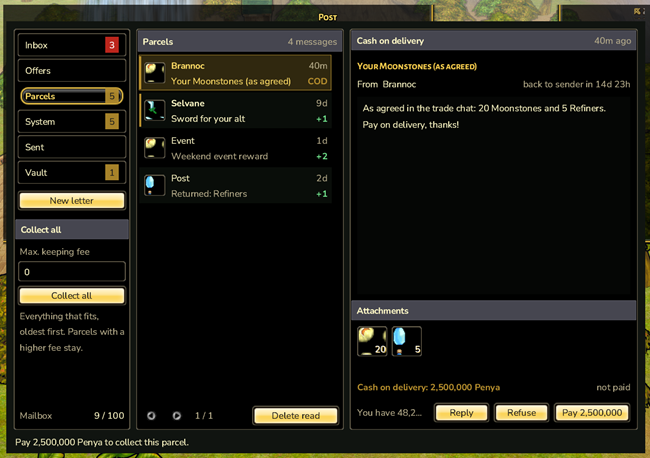
Set a COD price to send a parcel cash on delivery: the recipient can only collect the attachments after paying with Pay. The money comes back to you as a letter, minus currently 3 % tax. Cash on delivery also adds an extra fee. If the recipient does not pay, the parcel returns to you when its time runs out.
Negotiating
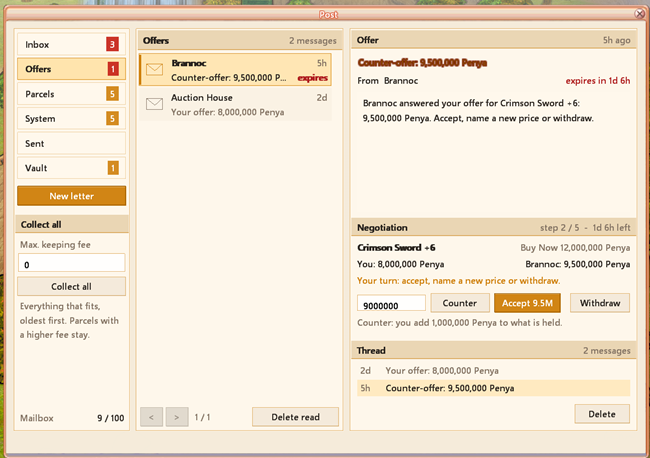
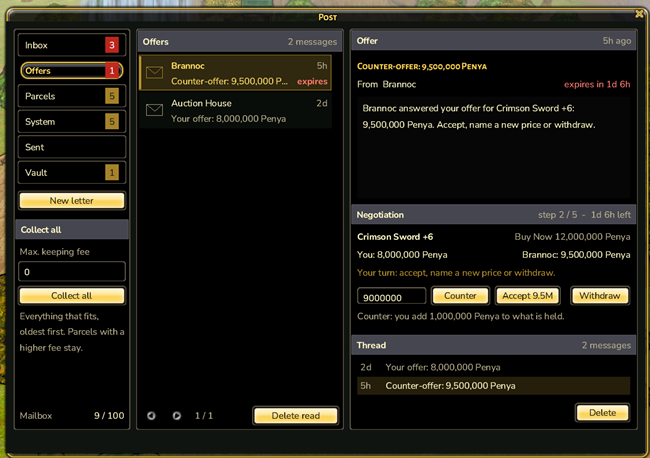
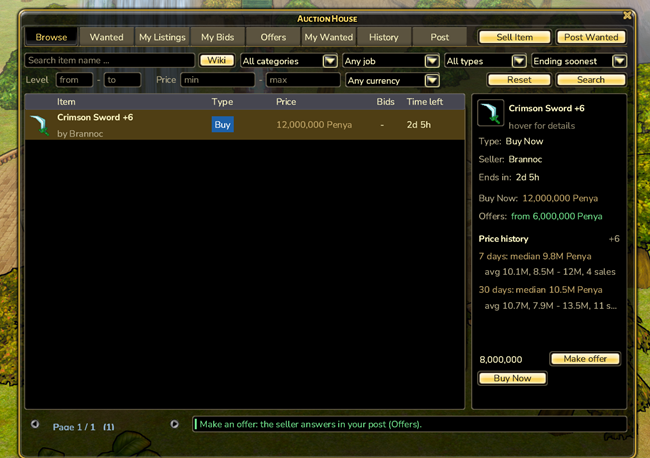
On Buy Now and trade listings in the Auction House you can make an offer. Every step arrives as a letter in the Offers folder, so you can haggle even if you are never online together.
- The buyer only goes up, the seller only goes down; every new price lies between the last two. The Buy Now price is the ceiling.
- The first offer currently has to be at least half the Buy Now price.
- As the buyer you put up your offer right away, and only the difference on later steps. The seller never pays anything.
- There are currently at most 5 steps, and each must be answered within 48 hours. Otherwise the buyer gets their money back.
- Accept completes the sale at the agreed price. Withdraw (buyer) or Decline (seller) ends the negotiation and the money goes back.
- If the item is sold another way, every other interested buyer is refunded by mail.
Threads
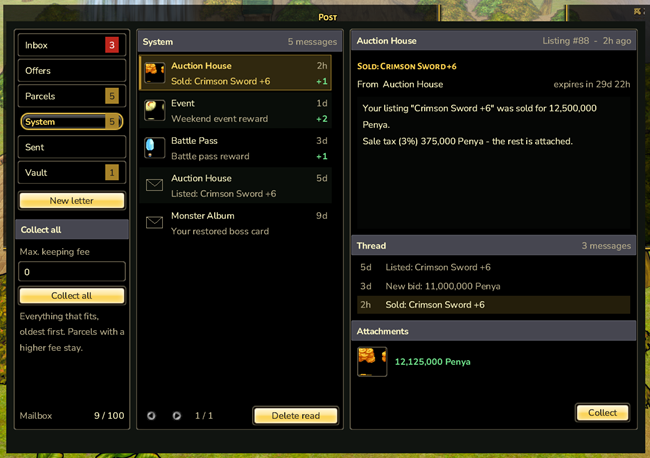
Letters that belong together – a negotiation, or all results of one Auction House listing – form a thread. The letter shows its latest entries, and you can click them.
What happens to old mail?
- Player letters with attachments go back to the sender after 15 days. If the sender does not collect them either, they move to the Vault after another 15 days.
- Refuse sends a player letter back immediately.
- System letters stay for 30 days, then move to the Vault. The Vault never expires.
- If your mailbox is full, player letters are refused and the sender gets everything back. System mail still arrives.
Confirm with care
Anything that moves items or money needs a second click on the same button. Simple collecting without a fee takes just one click.
Auction House
Buy, sell, bid, trade and negotiate – even while the other side is offline.
Chat
Custom tabs, a menu on every player name, profiles, reporting, history and a private chat with speech bubbles that keeps your conversations.
Party
Playing together actively pays off – with passive synergy instead of party skills, open parties and the Party Board to find a group fast.