
Auction House
Buy, sell, bid, trade and negotiate – even while the other side is offline.
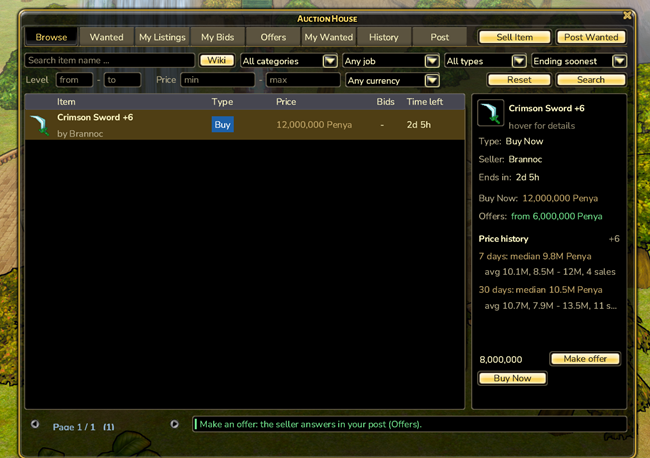
The Auction House is Orelia’s marketplace for every player. List an item, log off for the night, and the next day your earnings are waiting in your mail. When you list, you decide whether people can buy instantly, bid, trade or make an offer.
No private shops
Private shops and offline vendors are disabled on Orelia – the Auction House is the only player market. If you used to run an offline vendor, its items were returned to you by mail (“Offline vendor closed”).
The window
Talk to an NPC with the Auction House menu entry. The tabs at the top are:
- Browseall open listings, with search and filters
- Wantedrequests from players who want to buy something
- My Listings / My Bidsyour listings and the auctions you have bid on
- Offersitem offers on your trade listings (accept or decline) and your own offers
- My Wantedyour own wanted requests
- Historyyour last 100 results: sold, bought, won, traded, outbid, expired …
On the right you see everything about the selected entry: the item (with its normal tooltip), seller, end time, prices, minimum bid and whether you are currently in the lead. Only the buttons that apply to that listing are shown.
Search and filters
On Browse and Wanted you can filter by name, category, level range, job, currency, type (Buy Now, auction, trade) and price range, and sort by ending soonest, newest, price or name.
Use the Item Wiki
While you type, the name field suggests up to three matching items. The Wiki button opens the Item Wiki – double-click an item there to fill it in. The other way round, Ctrl + double-click in the Wiki searches for that item in the open Auction House.
Selling
- Sell Item – top right.
- Drag in an item – from your inventory.
- Pick the type – any combination of Buy Now (fixed price), Auction (start price, players bid) and Trade for item (the item you want + count).
- Currency and duration – Penya, Perin or Red Chip; 6 h, 12 h, 24 h, 48 h, 72 h or 7 days.
- Confirm – a box repeats item, price and currency before anything happens.
While selling, the window shows the item’s price history: median, average, range and number of sales over the last 7 and 30 days, matched to the upgrade level.
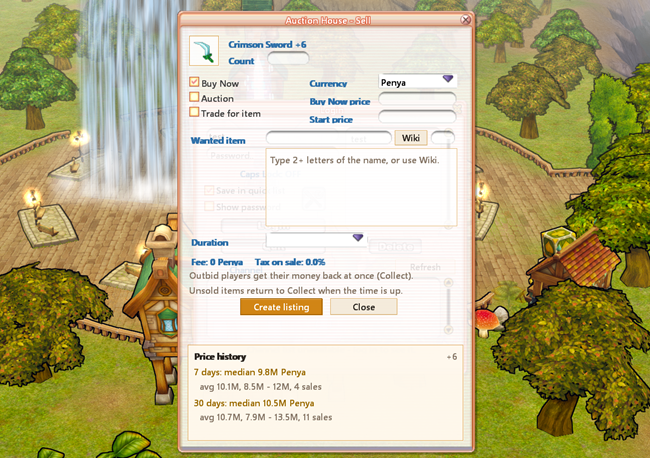
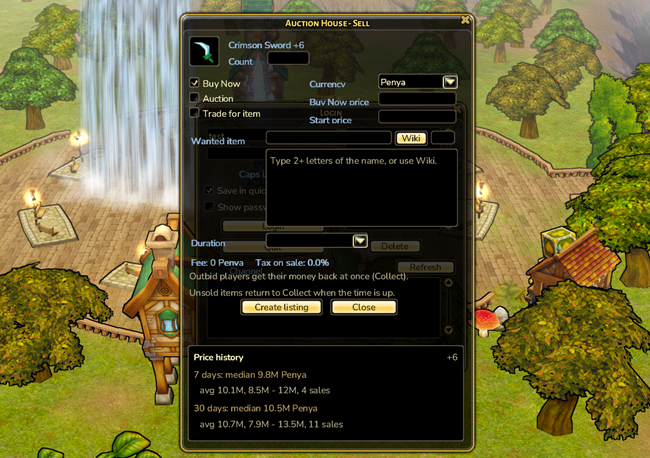
A listing currently costs a 1,000 Penya fee, and currency earnings are taxed at 3 %. You can have up to 20 listings at a time. Equipped, bound, expired and quest items cannot be listed.
Buying, bidding, trading
- Buy Now: buy instantly at the fixed price, as long as the current bid is below it. Whoever was leading gets their money back.
- Bidding: at least the minimum bid shown. After the first bid it goes up by 5 %, or at least 1,000 Penya, 1 Perin or 1 Red Chip. If you are outbid, your money comes back right away.
- No last-second sniping: a bid in the final 5 minutes extends the auction to 5 minutes.
- Trade: Deliver exactly the requested item in the requested amount and the swap happens immediately. Any other item becomes an offer that the seller accepts or declines.
When an auction ends, the highest bid wins. With no bids, the item goes back to the seller. This happens even when nobody is online.
Making offers
On Buy Now and trade listings (not auctions) you get a Make offer button. Name a price – currently at least half the Buy Now price – and the money is held right away. The seller answers from their mailbox, even if they are offline right now. The back-and-forth is explained under Mail › Negotiating.
Wanted requests
Post Wanted lets you ask for an item: item, count, total price, currency and duration. The price is held immediately. When another player delivers exactly that item in exactly that count, they receive the price minus tax. Partial deliveries are not possible. A wanted request currently also costs 1,000 Penya, and you can have up to 10 at once.
Where do items and Penya go?
Everything you receive – bought and won items, sale earnings, refunds after being outbid, returned or expired items – arrives as a letter from “Auction House” in your mail (folder System). A chat line such as “Item sold – it is in your post” tells you about it, on any channel.
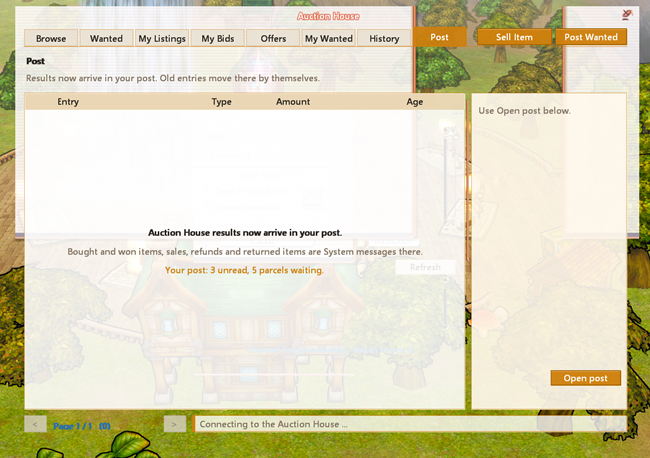
The old “Collect” tab is now called Post. Once nothing is left there, Open post takes you straight to your mailbox. The letter also shows the full history of that listing.
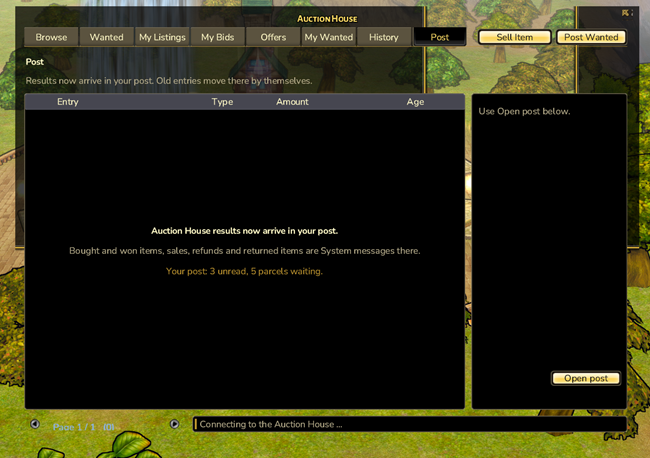
Nothing gets lost
If an action is refused (for example because someone was faster), everything you put up for it comes back to you. Every action that moves items or money asks for confirmation first.
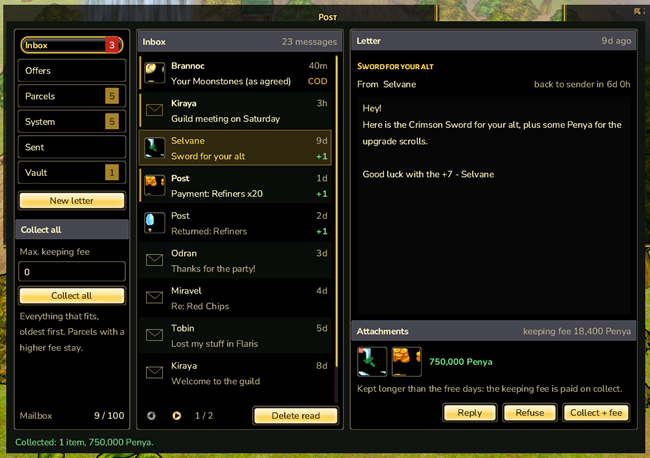
Letters, parcels with up to five items, cash on delivery and price negotiations – your mailbox for everything that reaches you while you are offline.
Chat
Custom tabs, a menu on every player name, profiles, reporting, history and a private chat with speech bubbles that keeps your conversations.
Party
Playing together actively pays off – with passive synergy instead of party skills, open parties and the Party Board to find a group fast.